
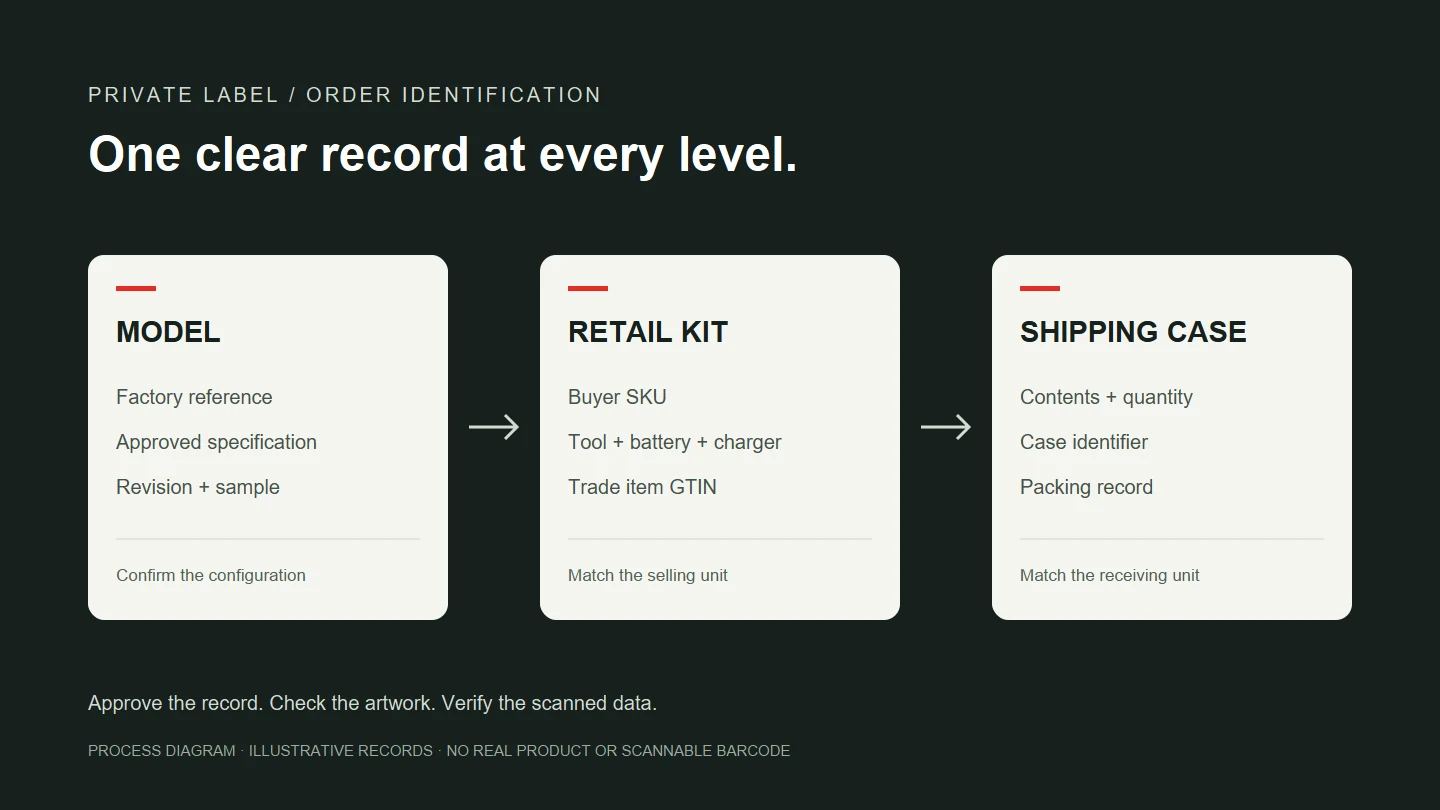
Before approving packaging for a private label tool order, match the buyer’s SKU to the exact kit and its packaging hierarchy. Approve the artwork against that record, then check scanned identifiers against the warehouse item data. A correct logo is not enough if the box identifies a different kit or case quantity.
This guide is for tool brands, importers and distributors preparing an order. It covers identification and approval records, not every retailer’s receiving requirements. Confirm the applicable GS1 rules and your receiving channel’s specifications separately.
A factory model, a buyer SKU and a GTIN serve different purposes
A factory model identifies the selected tool or configuration. The buyer’s SKU is typically an internal ordering and inventory reference. A GTIN is a trade item identifier in the GS1 system. The barcode symbol can carry that identifier; the terms are not interchangeable.
One tool body may be offered as a bare tool, a one-battery kit or a two-battery kit. Do not collapse these into one order line simply because the body model is unchanged. Match each buyer SKU to its tool, battery, charger, accessories and packaging before confirming GTIN assignment for the trade item.
Under the GS1 GTIN Management Standard, a primary-brand change requires a new GTIN. A change in the number of trade items in a case also affects identification at the relevant packaging level. This is not a rule that every artwork edit changes every identifier: establish which trade item and packaging level changed.
Build an item map before creating artwork
Use one row for each combination that is actually sold or ordered. Record:
- Buyer SKU, factory model and internal specification revision.
- Exact references and quantities for the tool, batteries, charger and accessories.
- Primary brand, item description, selling unit and destination market.
- Retail-unit GTIN and the identifiers for any separately defined inner pack or case.
- Units per inner pack and case, including whether contents are mixed.
- Artwork revision, sample reference, approver and approval date.
This map aligns purchasing, design, production and receiving. It does not replace electrical specifications or compliance documents. Confirm voltage, capacity, interface and charging requirements separately. The battery and charger category and voltage-label guide can help define the configuration; equal voltage does not establish compatibility.
Illustrative example, not an actual product or order: SKU-A identifies a bare drill, while SKU-B identifies that body with a battery, charger and case. Both may refer to the same tool body, but their kit lists differ. Do not put SKU-A’s packaging description on SKU-B. Confirm identification under the actual trade-item definition and GS1 rules rather than assigning one description to distinct combinations to save identifiers.
A shipping case is not an enlarged retail box
The case record must describe its contents and quantity. Enlarging the retail barcode does not, by itself, create correct case identification.
GS1 US’s shipping-case instructions distinguish packaging levels, child items and quantities. They also distinguish design-placement previews from final barcodes. Do not use an FPO preview as production artwork. The item-data owner should confirm the symbol and files against the packaging level and receiving requirements.
A second illustrative example: a repeat order changes the number of kits packed per case without changing each kit. Reassess identification at the affected packaging level and update the case record, carton marking and packing information. Do not assume that the retail-unit identifier must also change. Define a mixed case’s contents before copying settings from a single-item case.
Approve the scanned data, not just the appearance
Compare artwork with the approved brand, description, SKU, identifier and kit list. Make the filename, revision and date unambiguous; several attachments labelled “final” are not a reliable approval record.
When printed samples are available, use this internal check:
- Scan the retail pack and compare the result with the approved identifier.
- Look it up in the buyer’s item system and confirm the description, kit and selling unit.
- Scan the case and confirm its contents, quantity and carton marking.
- Compare the printed brand, language, model and labels with approved artwork.
- Retain sample photographs, scan results and the approval record for production checks.
A successful scan does not establish that the identifier represents the right item, or replace any required barcode-quality verification. Agree receiving-channel validation requirements before printing. Safety labels and instructions still need their own review.
Reorders need a revision check
Compare the previous order with the proposed kit, artwork and case quantity. Record what changed, what stayed the same and who approved the difference.
GS1 US’s product-update guidance explains that changes to quantity, item contents or primary brand may require a new GTIN. An editable system field is not permission to ignore identification rules.
If the approved record, physical sample and artwork disagree, resolve them before production approval. Identify which packaging revision can be used for each batch, including any remaining old stock. This is a suggested order-control method, not a claim that every factory uses the same process.
What to include in a manufacturing inquiry
Send the buyer SKU, tool model, kit list, market, brand artwork, packaging hierarchy and case quantity alongside the order quantity. Have the item-data owner supply any existing GTIN files and receiving-label requirements. Mark unresolved fields for confirmation rather than asking the printer to guess.
Use the drill category to select a product direction and the OEM customization page to organize branding, kit and packaging requirements. An item map gives the manufacturer more useful information than a packaging mock-up alone.
The cover is an original process diagram. Its records are illustrative, not an actual order, product or scannable barcode.